
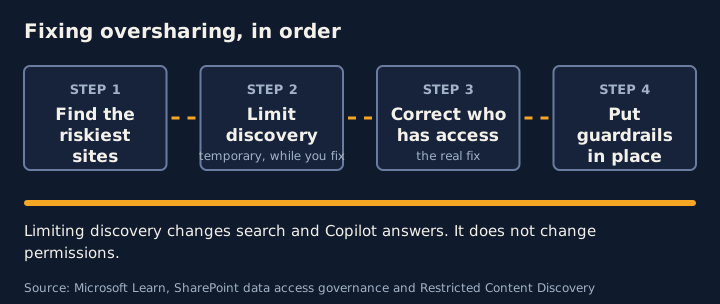
Fix oversharing in this order: find the riskiest sites, limit how widely they are discovered while you work, correct who has access, then put guardrails in place so it does not drift back. Microsoft’s own blueprint follows the same logic: remediate oversharing, set up guardrails, then meet regulations.
This guide follows Microsoft’s published guidance as at the dates in the sources below.
Step 1: Find the sites that matter
Use the data access governance reports in the SharePoint admin center, under Reports. Microsoft suggests starting with the snapshot reports, such as site permissions across the organisation, then following up with activity reports on sharing links and content shared with “Everyone except external users”.
Things to know before you rely on them:
- Snapshot reports show data as at the date they were generated.
- Activity reports cover the last 28 days. Without SharePoint Advanced Management, you must enable data collection first, and reports become available 24 hours later.
- Microsoft suggests running snapshot reports quarterly and activity reports monthly.
Microsoft’s setup guidance also suggests exporting the top 100 most-used SharePoint sites and running the permission state report, so that the busiest sites are checked first.
Step 2: Limit discovery while you fix the access
Restricted Content Discovery lets you limit discovery of content from chosen SharePoint sites in organisation-wide search and in Copilot responses. Microsoft describes it as a temporary governance control for cases such as sites at high risk of oversharing, sites under permissions review, or phased Copilot rollouts.
Be clear about what it does not do:
- It does not change existing permissions. People who already have access can still reach the content directly.
- It does not remove content from the search index.
- It also removes AI entry points from the restricted sites. Microsoft says users do not see entry points such as the Copilot button, AI actions menus or Create pages with AI.
- It applies to SharePoint sites only, not OneDrive, and Microsoft lists a Copilot licence and SharePoint Advanced Management as prerequisites.
- Overusing it can make search and AI answers less complete and less relevant.
- For sites over 500,000 items, Microsoft says an update could take more than a week.
For business-critical sites, restricted access control is the option for immediate action.
Step 3: Correct who has access
This is the step that actually fixes the problem. Microsoft’s data access governance guidance lists these remediation options:
- Site access reviews, which ask site owners to review and update permissions.
- Restricted access control, to lock down sites that need it straight away.
- The change history report, to see recent permission changes.
Microsoft’s setup guidance also recommends running access reviews on overshared sites, and disabling “Everyone except external users” at tenant level.
Step 4: Put guardrails in place
Turn on audit so you can see Copilot activity, and use sensitivity labels so that protection follows the content. Microsoft’s setup guidance lists enabling Microsoft Purview Audit for Copilot activity as part of proactive audit and protection. Labels have limits: they protect only content that has been labelled, and a label on a site does not reach the files inside it.
Step 5: Start narrow, then widen
Microsoft’s setup guidance describes three phases: pilot with a small group of early adopters, deploy to a larger group (including limiting oversharing and using sensitivity labels), then operate by monitoring usage and adoption. It also suggests granting Copilot access first to popular, low-risk sites.
A note on licences
Microsoft says SharePoint Advanced Management is included with a Microsoft Copilot licence. It also notes that administrators with Microsoft 365 E5 can use the data access governance reports but do not get snapshot reports or remedial actions, and activity reports return up to 10,000 sites. Confirm what your own tenant is entitled to before you plan the work.
Frequently asked questions
Does Restricted Content Discovery fix oversharing?
No. Microsoft says it does not change existing permissions. It limits discovery of content from chosen sites in organisation-wide search and Copilot responses, and Microsoft describes it as a temporary governance control. People who already have access can still reach the content directly.
Do I need SharePoint Advanced Management?
Microsoft says SharePoint Advanced Management is included with a Microsoft Copilot licence. Microsoft also notes that administrators with Microsoft 365 E5 can use data access governance reporting, but without the other Advanced Management features. Check the current prerequisites page for your licences.
How often should we run the reports?
Microsoft suggests running the snapshot reports first, then quarterly, and following up with the activity reports monthly.
Sources
- Secure and govern Microsoft Copilot: Foundational deployment guidance (Microsoft Learn)
- Data access governance reports for SharePoint and OneDrive sites (Microsoft Learn)
- Restrict discovery of SharePoint sites and content (Microsoft Learn)
- SharePoint Advanced Management overview (Microsoft Learn)
- Set up Microsoft Copilot and assign licenses (Microsoft Learn)
General guidance for security and privacy teams. For advice on your legal obligations, speak to a lawyer.